
Server Splitter makes it easy to divide your existing Minecraft server into multiple servers without purchasing a new plan. This is perfect if you want to separate game modes, create a network, run a testing server, or organize your projects more efficiently. This guide will walk you through the entire process.
Splitting your server divides your allocated resources (such as RAM and storage) between the new servers. Make sure you have enough available resources before continuing.
What is Server Splitter?
Server Splitter allows you to create additional Minecraft servers from your existing hosting plan. Each split server receives its own allocated resources such as CPU, RAM, Storage, Allocations, Databases, Backups. This means every server operates independently while sharing the resources assigned from your current plan.
Step 1: Access Your Server
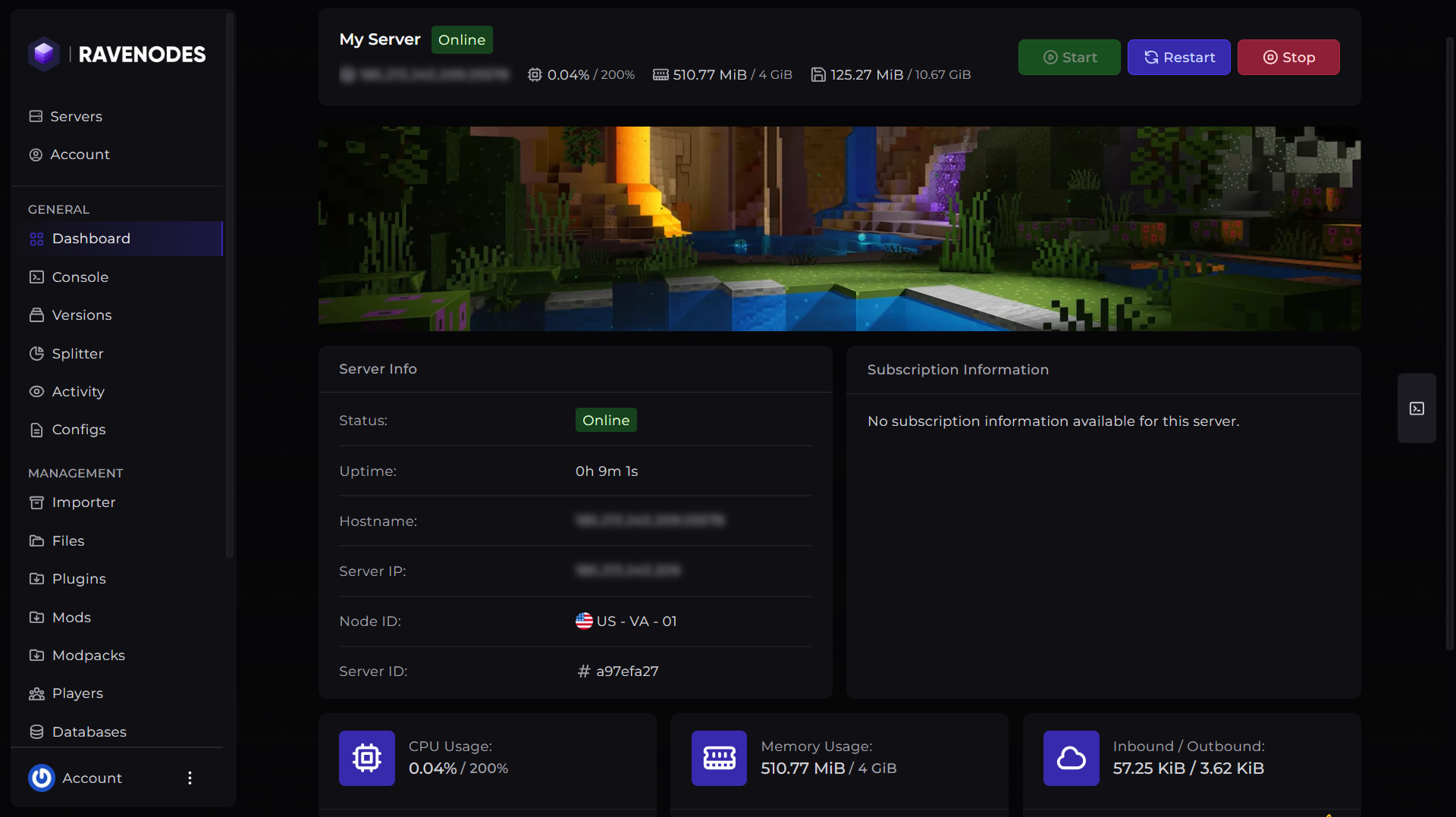
Log in to our Game Panel and head to the Minecraft server you want to modify.
Step 2: Open the Server Splitter
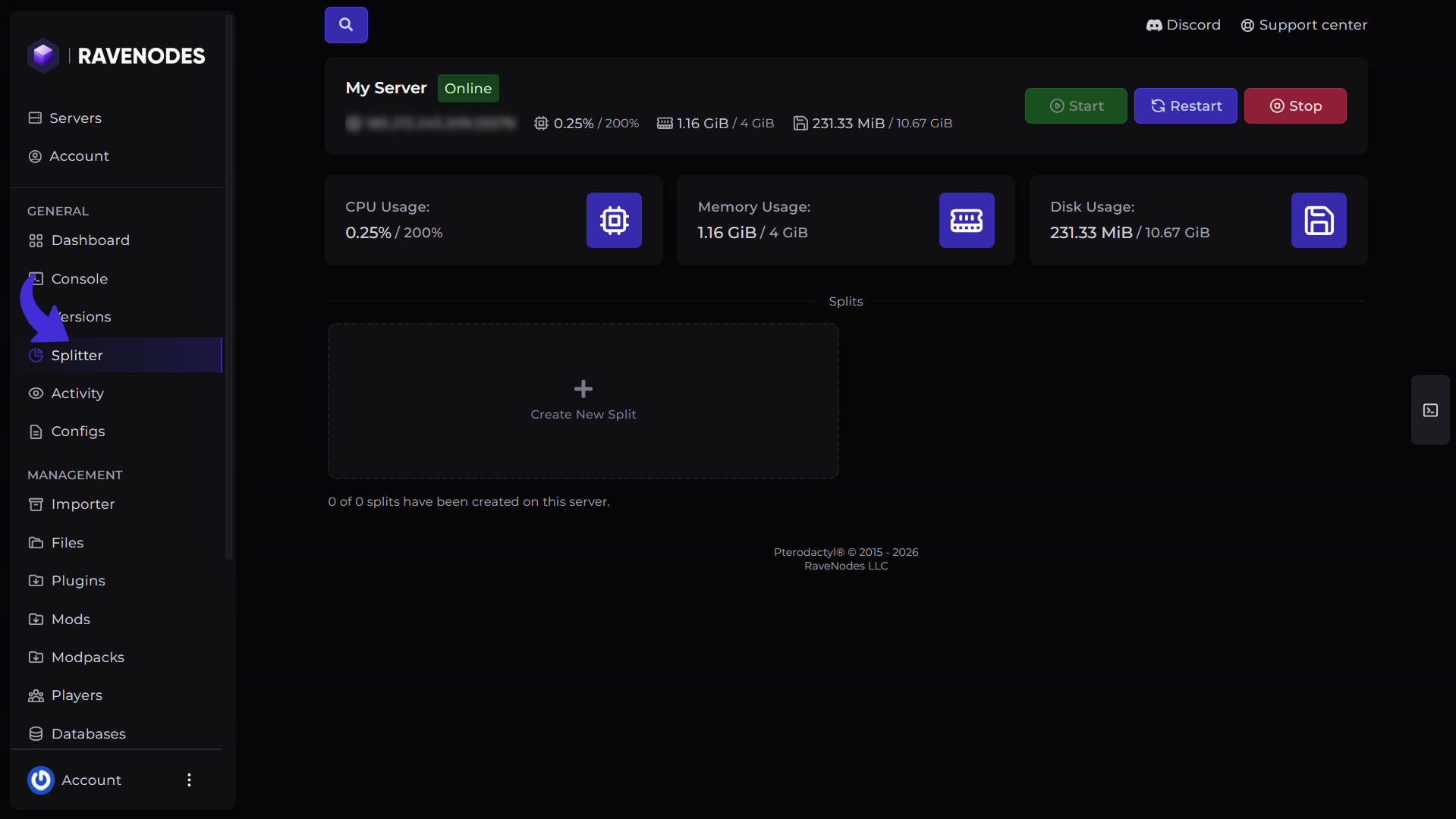
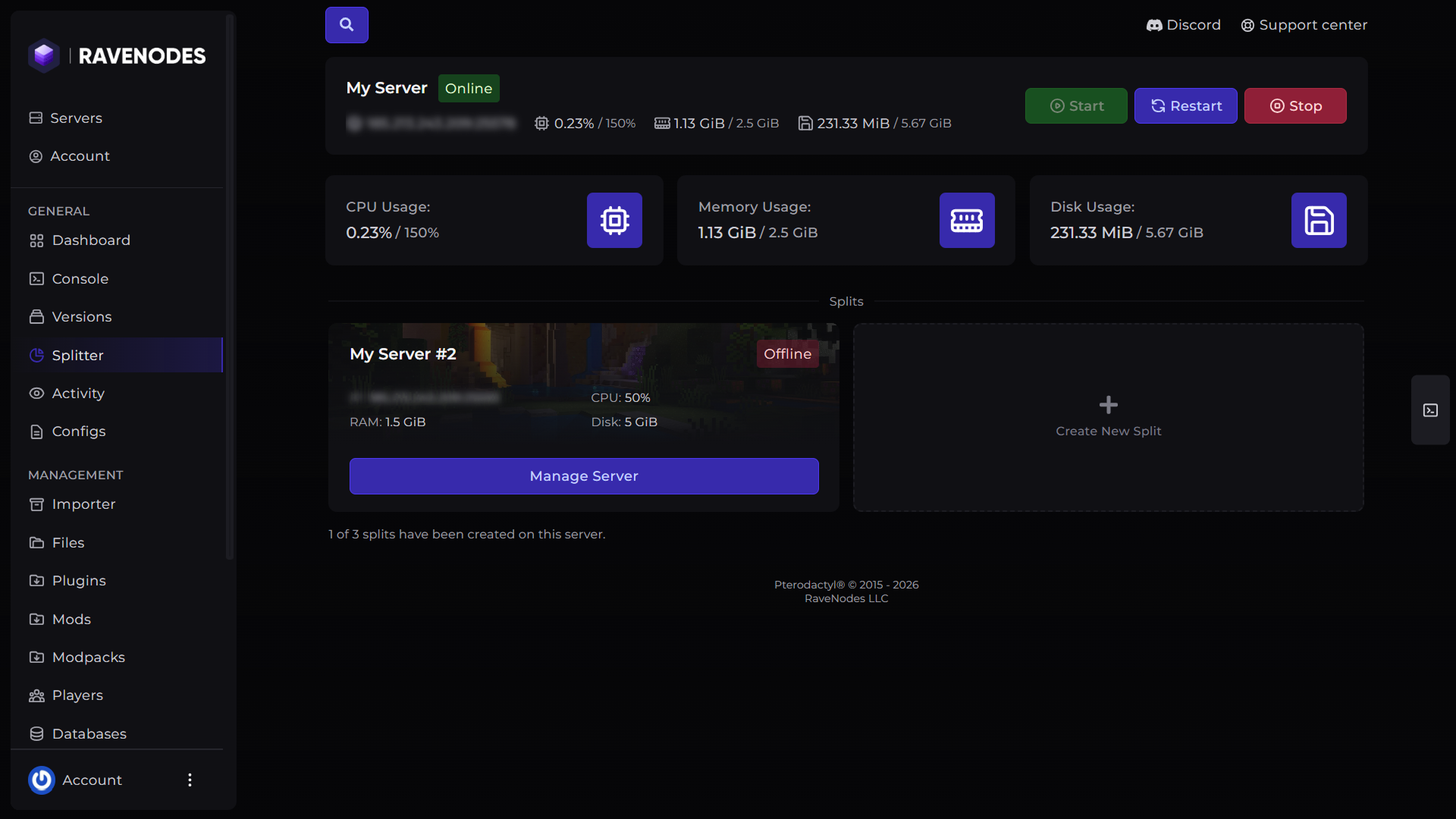
From the server navigation menu, click Splitter. This page displays your available resources, your current splits and lets you create a new server.
Step 3: Create the New Split
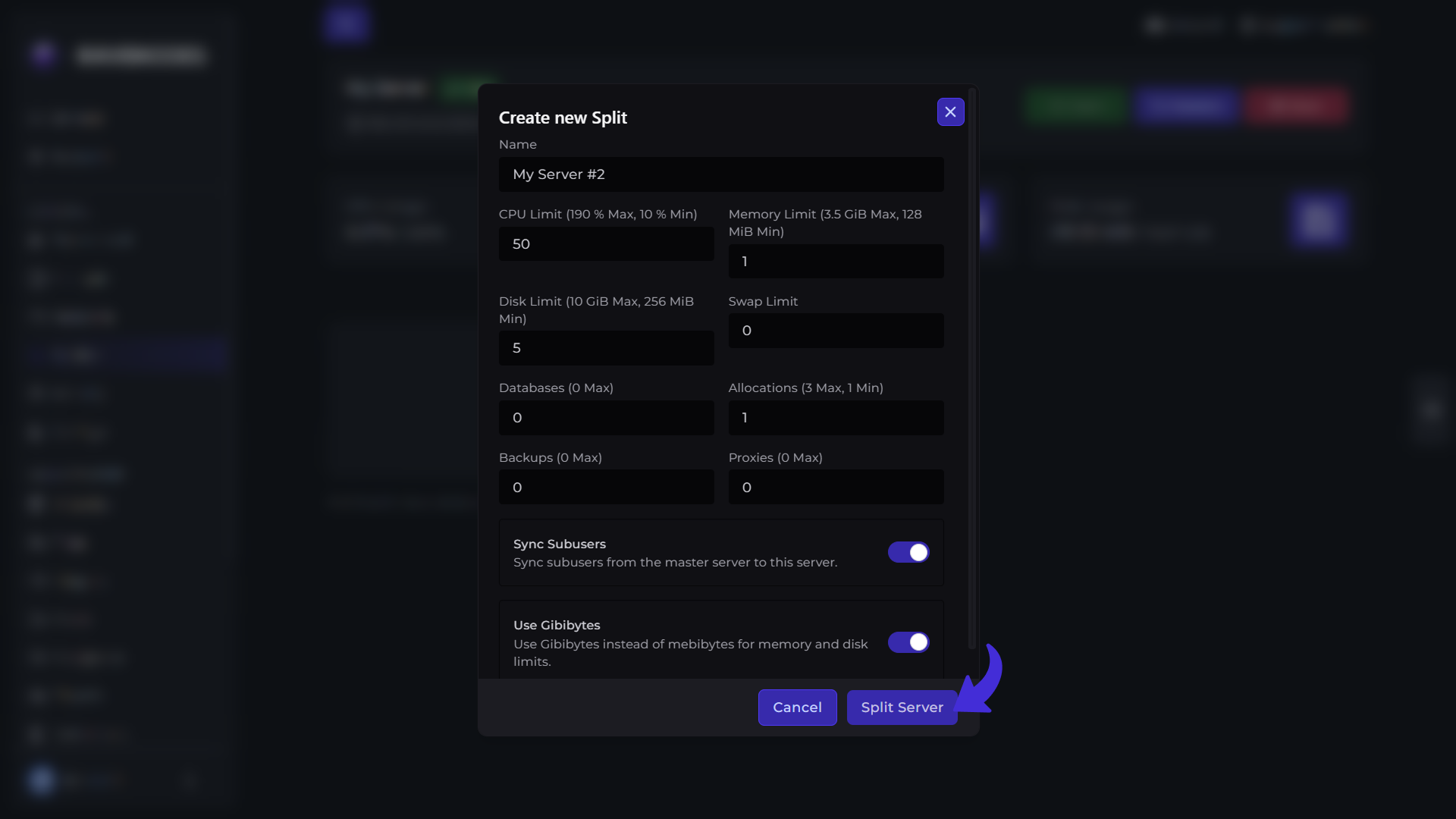
Hit the Create New Split button and a pop-up will appear asking for resources allocation to the new split. Fill with your desired resources allocation and hit the Split Server button.
Step 4: Access Your New Server
Once the creation is complete, your new server will appear in your server list. Hit the Manager Server button and it will take you to the server's dashboard and you can use your server.
Best Uses for Server Splitter
Server Splitter is ideal for:
-
Creating a network user multiple servers.
-
Running a development or testing server.
-
Hosting events without affecting your production servers.
-
Building a server network under a proxy such as Veloicty or Bungeecord.
-
Testing plugins in testing server before using them into production servers.
Things to Keep in Mind
Splitting a server does not increase your server resources it simply redistributes your existing resources. Before splitting your server keep these things in your mind:
-
Ensure every server has enough RAM to run smoothly.
-
You can manage each server independently after creation.
-
If you plan to connect multiple servers together, you can use a proxy such as Velocity or BungeeCord.
Need Help?
If you encounter any issues while splitting your server, our support team is here to help. Open a support ticket through the Client Area, and we'll be happy to assist you.