Keeping your Minecraft server up to date or switching to a different server software is simple with the Version Changer. Whether you're updating to the latest release, downgrading for compatibility, or changing to another server type, you can do it directly from your Game Panel.
Always create a backup before changing your server version. Some plugins, mods, or world data may not be compatible with different Minecraft versions.
Step 1: Open Your Server
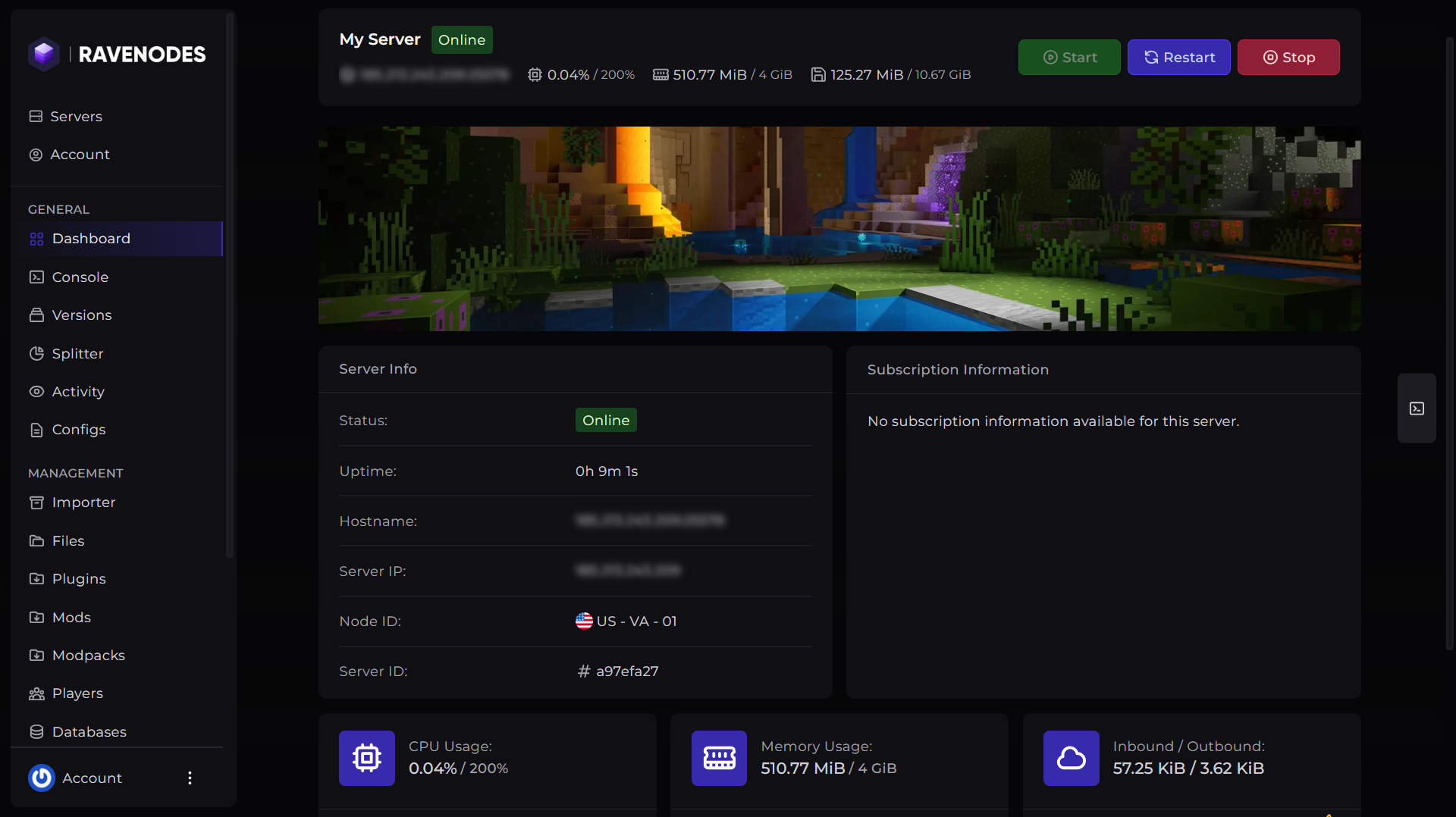
Log in to our Game Panel and head to the Minecraft server you want to modify.
Step 2: Open the Version Manager
From the server navigation menu, click Versions. This tool allows you to browse and install different Minecraft server software and versions without manually uploading files.
Step 3: Choose Your Server Software
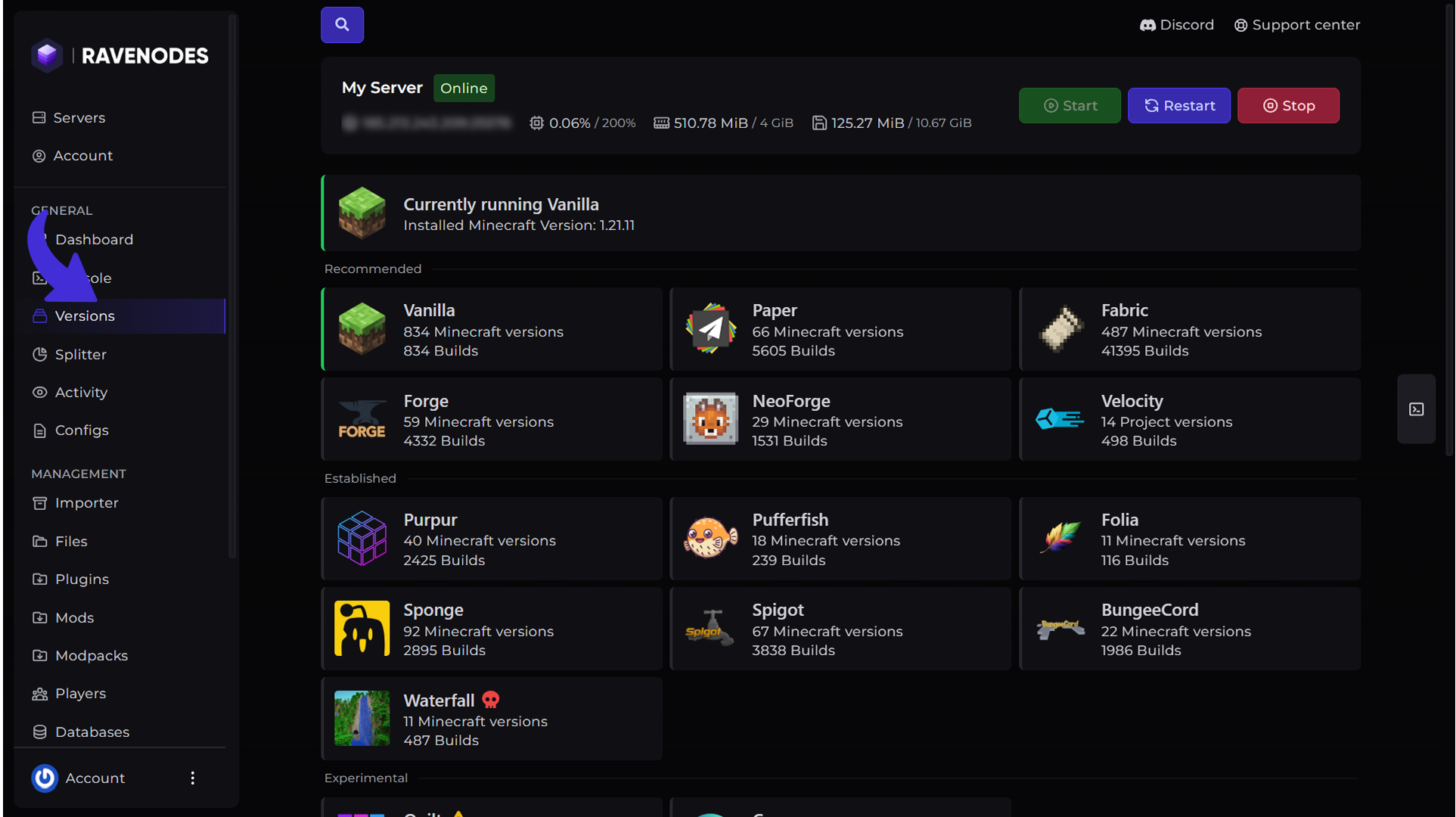
Select the server software you want to install. Each software is designed for different use cases. For example:
-
Paper offers excellent performance and plugin support.
-
Purpur extends Paper with additional optimized features.
-
Fabric is lightweight and designed for Fabric mods.
-
Forge is ideal for large modpacks.
-
Vanilla provides the original Minecraft experience.
Step 4: Select the Minecraft Version
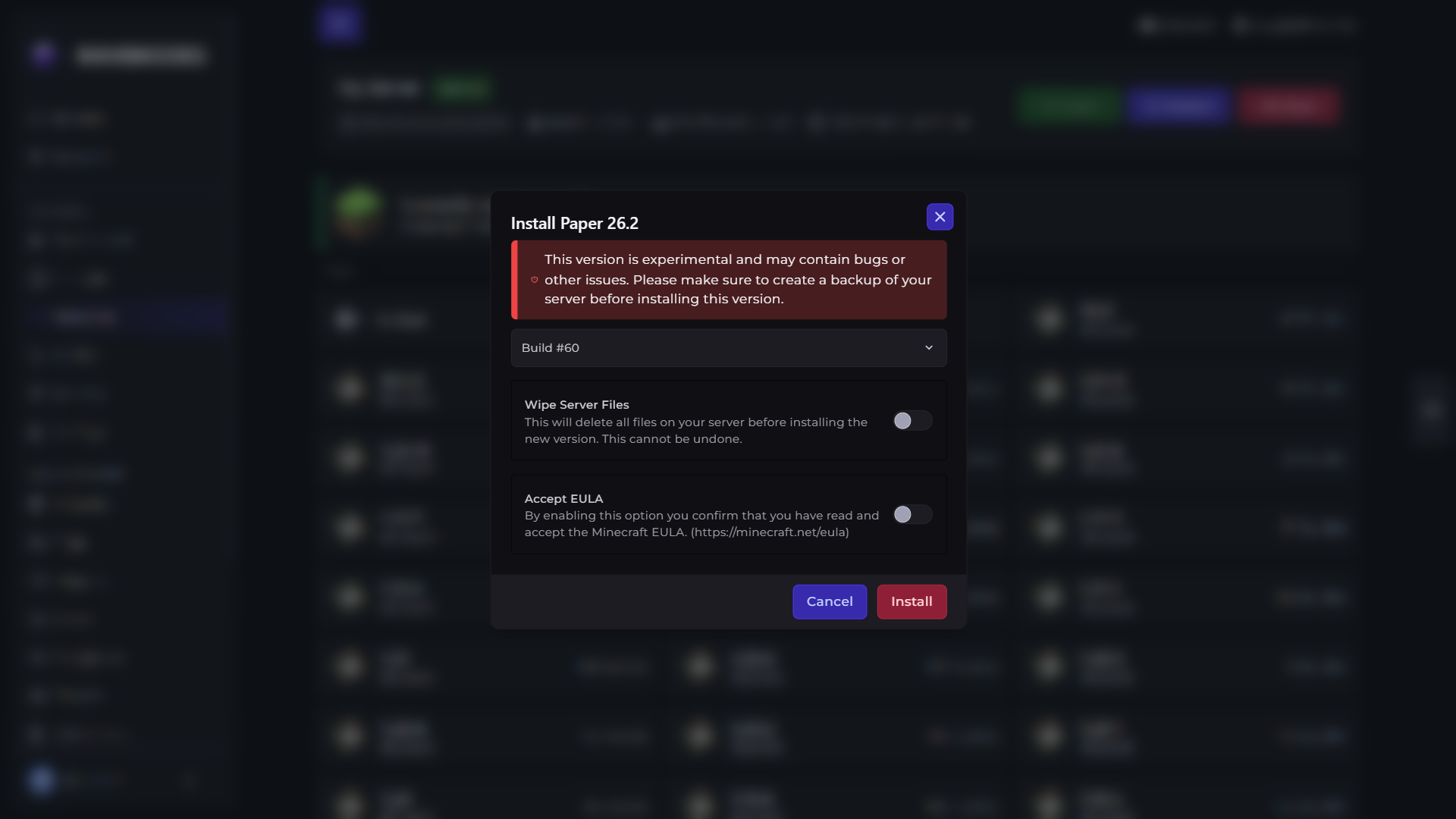
Choose the Minecraft version you wish to install, it will take you to available builds page. After selecting your preferred version, click the build you want to install and it will open the install dialog. After selecting the desired configuration hit the Install button and wait for a few minutes.
Step 5: Start Your Server
Return to the Console and hit the Start button. Watch the console run without any errors related to the server jar and once the server is started run /version on console or inside game after joining the server to verify what version the server is on.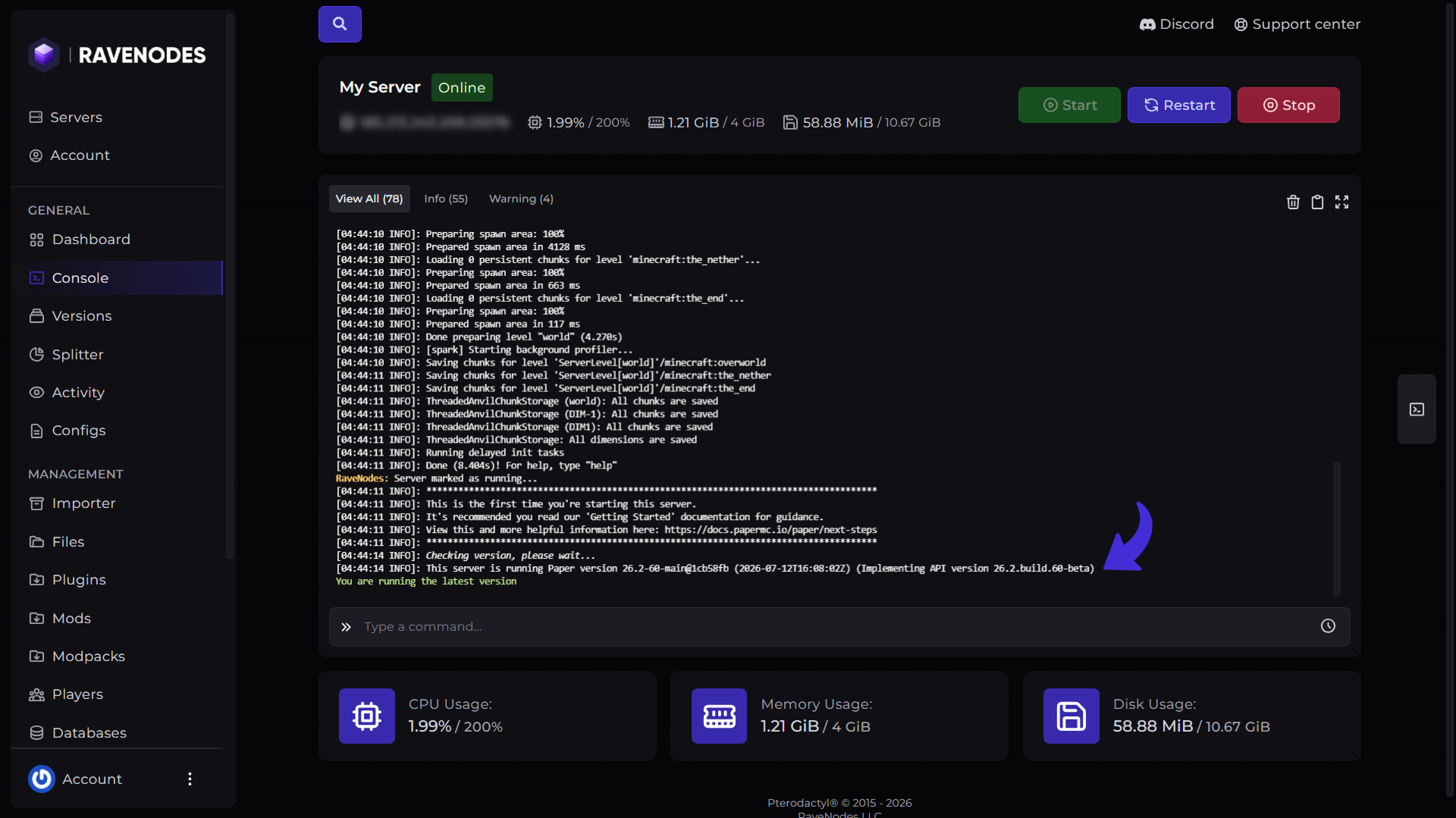
Things to Keep in Mind
-
Always back up your server before changing versions.
-
Upgrading your server versions sometimes also requires you to update your plugins/mods.
-
Fabric mods only work on Fabric servers.
-
Forge mods only work on Forge servers.
-
Downgrading Minecraft versions may cause world compatibility issues.
-
If your server fails to start, review the Console logs for any plugin or mod incompatibilities.
Need Help?
If you encounter any issues while changing your server version, our support team is here to help. Open a support ticket through the Client Area, and we'll be happy to assist you.