

Reverse Proxy Manager allows you to securely expose web services running on your Minecraft server through your own domain. Instead of accessing a service using an IP address and port, you can use a clean domain name with optional SSL encryption. Reverse proxies are commonly used for applications such as Dynmap, web dashboards, and other services running alongside your Minecraft server. This guide will show you how to create a reverse proxy.
Step 1: Point Your Domain
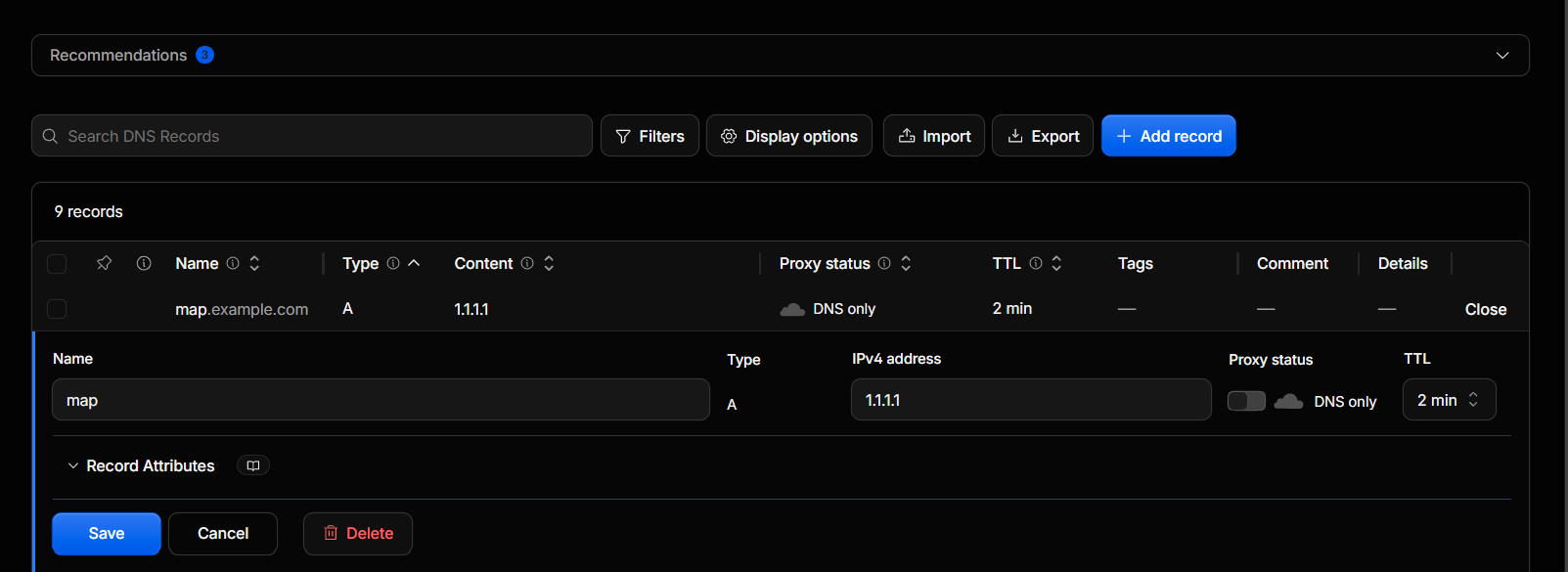
Before creating a reverse proxy, make sure your domain is configured correctly. Create an A Record for your chosen subdomain and point it to your server's IP address. Use actual details these details are for the demo.
For example:
map.example.com => 1.1.1.1Allow a few minutes for DNS changes to propagate before continuing.
Step 1: Open Your Server
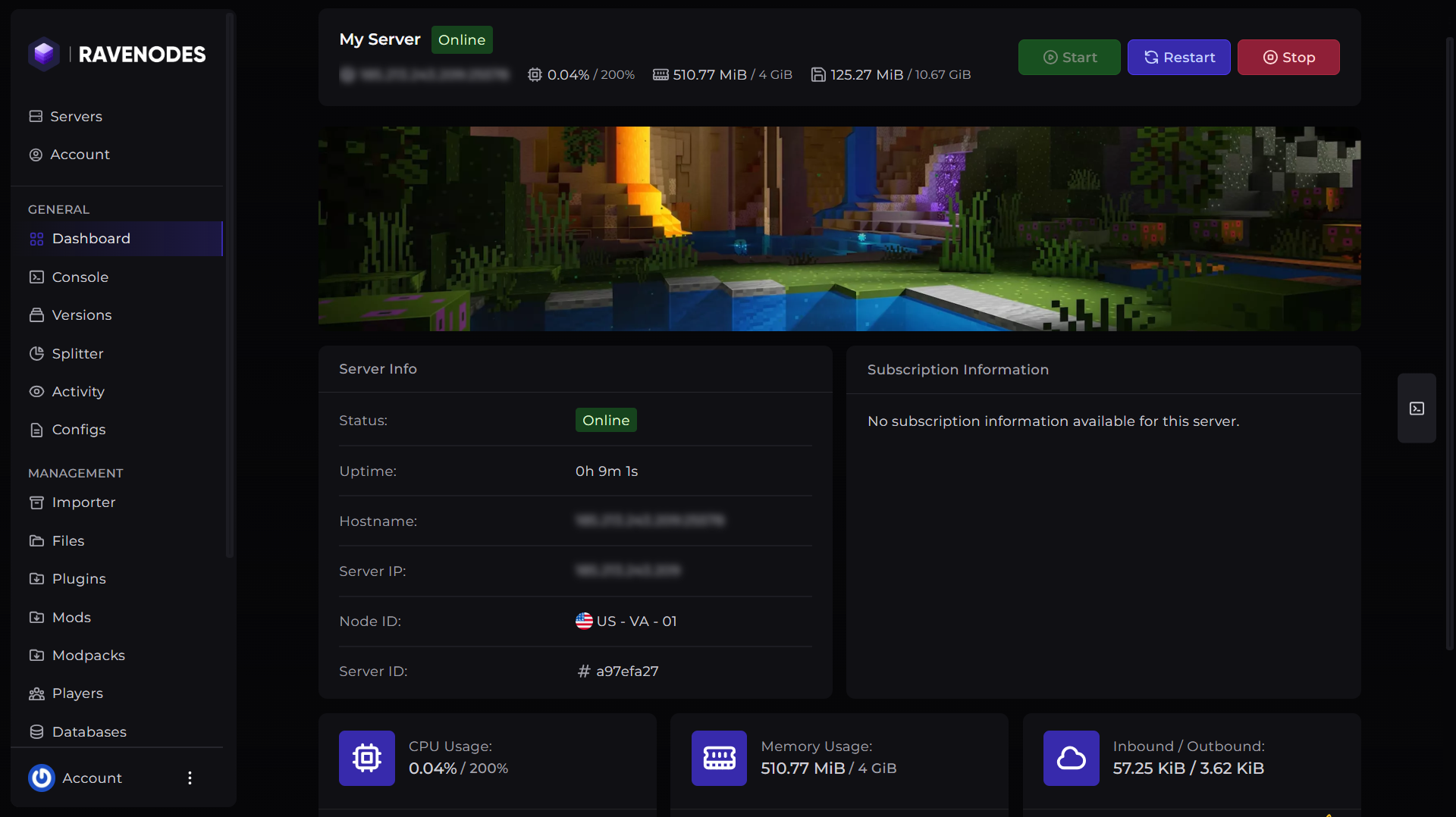
Log in to our Game Panel and head to the Minecraft server you want to manage.
Step 3: Open Reverse Proxy
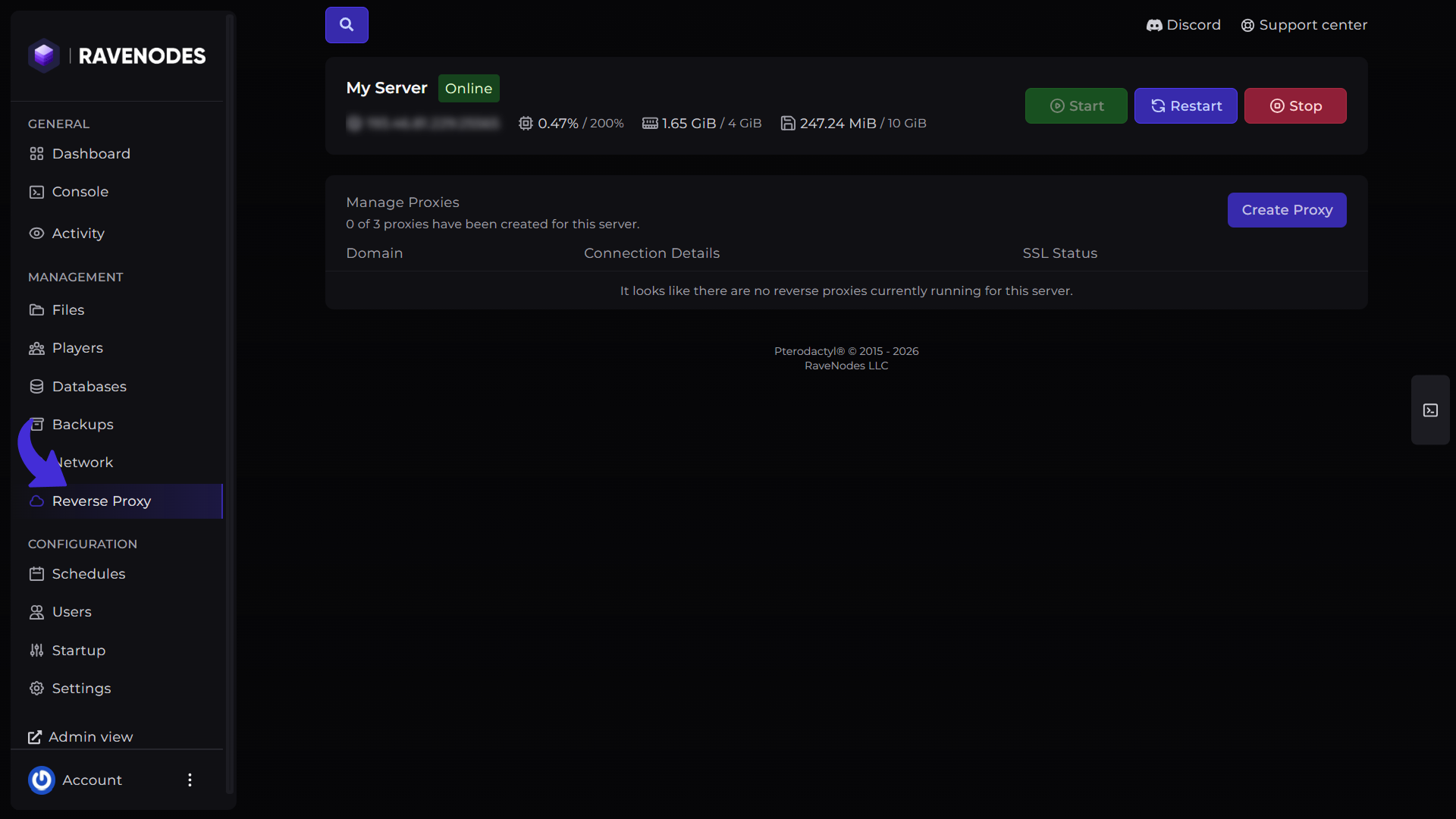
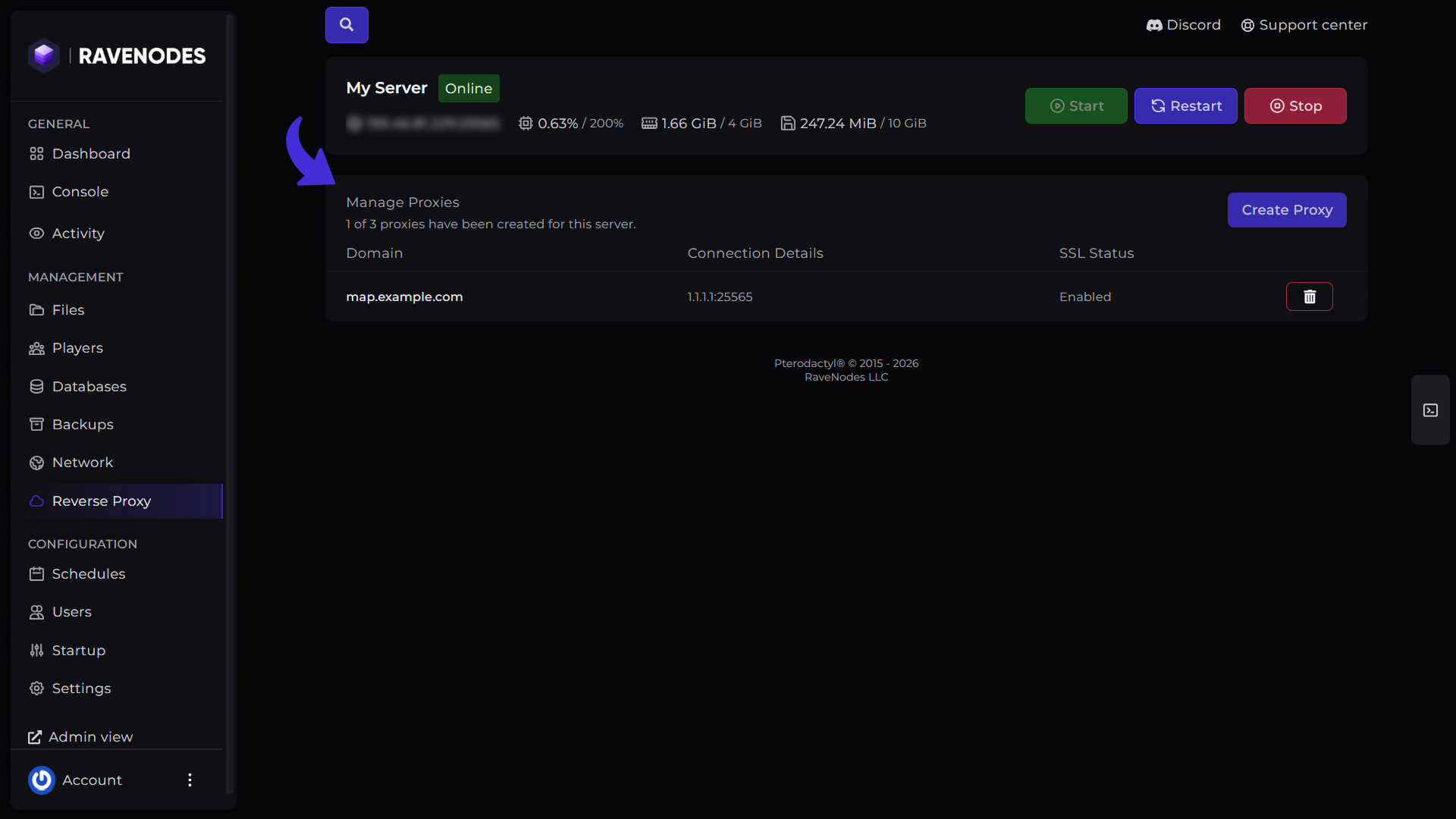
From the server navigation menu, click Reverse Proxy. This page displays your existing reverse proxies and allows you to create new ones.
Create a Reverse Proxy
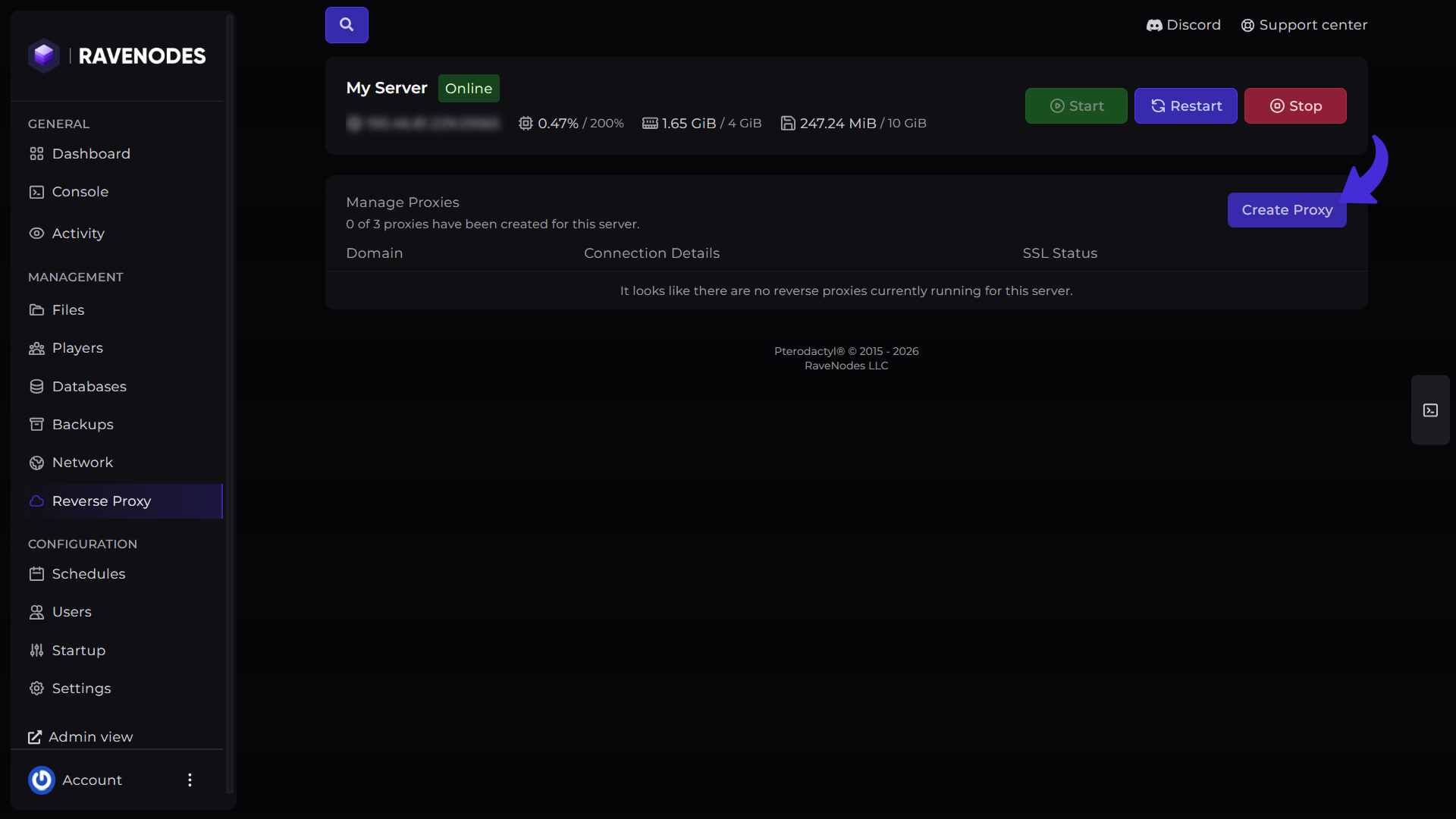
Click Create Proxy.
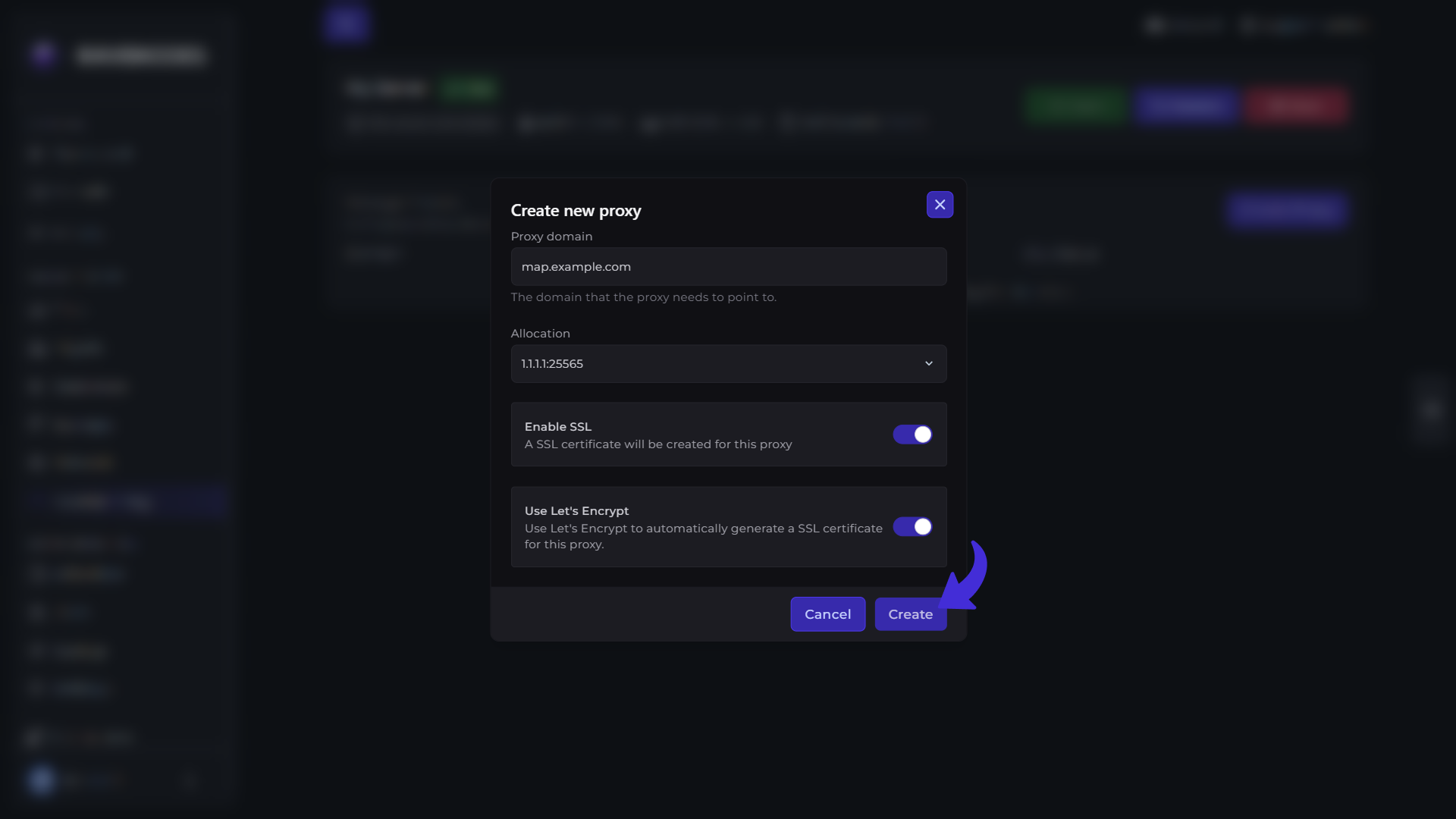
The creation dialog will ask for the following information:
-
Proxy Domain – The domain or subdomain you want to use (for example,
map.example.com). -
Allocation – Select the server allocation (port) that the reverse proxy should forward traffic to.
You'll also see two optional settings:
-
Enable SSL – Enables HTTPS for your reverse proxy.
-
Use Let's Encrypt – Automatically issues and installs a free SSL certificate for your domain.
After completing the form, click Create.
The panel will configure your reverse proxy automatically.
Step 5: Access Your Service
Once the reverse proxy has been created successfully, your service will be available through your configured domain.
For example:
-
https://map.example.com
If SSL was enabled, visitors will connect securely over HTTPS.
If your domain was recently pointed to your server, it may take a few minutes before the reverse proxy becomes accessible.
Common Uses
A reverse proxy can be used for many web services, including:
-
Dynmap
-
BlueMap
-
Web dashboards
-
Plugin web interfaces
-
Custom web applications
-
Any service running on one of your server allocations
Tips
-
Ensure your domain's A Record points to your server before creating the proxy.
-
Select the correct allocation for the service you want to expose.
-
Enable SSL whenever possible to provide a secure HTTPS connection.
-
Use Let's Encrypt to automatically generate and manage your SSL certificate.
Need Help?
If you encounter any issues, our support team is here to help. Open a support ticket through the Client Area, and we'll be happy to assist you.